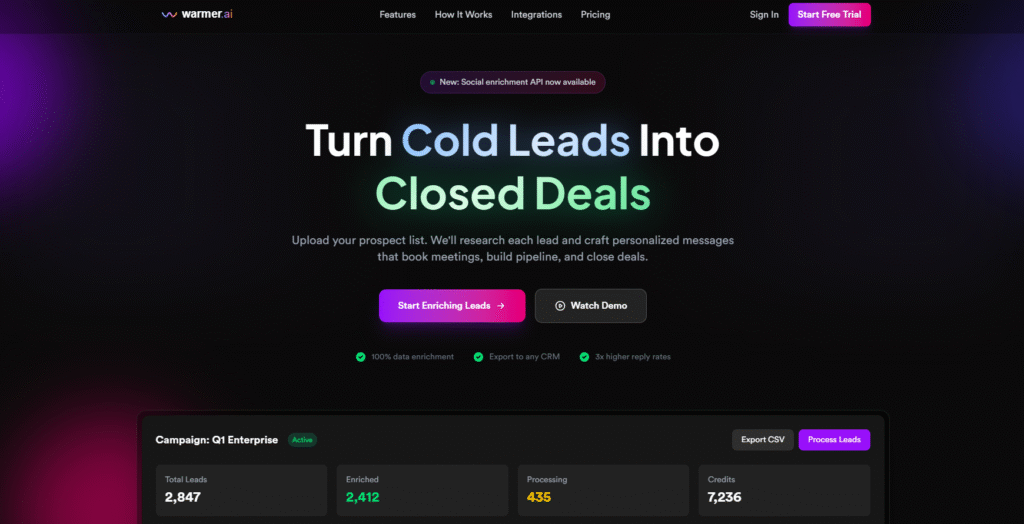
Alright team, buckle up! My inbox often looks like a graveyard of unanswered hopes, specifically the ones tied to my cold email outreach. My manual efforts? Let’s just say they involve a lot of staring at a blank screen, a healthy dose of self-doubt, and eventually, a generic email that probably gets swallowed by spam filters before it even sees the light of day.
Enter Warmer.ai. I stumbled upon it after yet another session of “AI tools for X” rabbit holes. The promise? AI-powered cold emails that actually get replies. My inner cynic was screaming, but my desperate sales rep was doing a little jig. So, I decided to give it a whirl. Here’s my honest, week-long diary. ✍️
Product: Warmer.ai – AI Cold Email Writer Goal: Get more replies to my cold outreach, save time.
Day 1: The ‘Unboxing’ & First Impressions 🎁
Alright, it’s Monday morning, and my coffee’s brewing. Time to dive into Warmer.ai.
Setup:
- Signing Up: Super straightforward. Google SSO, bing-bang-boom, I was in. No convoluted forms or waiting for verification.
- Dashboard: Clean, intuitive. On the left, a simple navigation: “New Email,” “Templates,” “Campaigns,” “Integrations.” On the main screen, a prompt: “What are you selling?” and “Who are you selling to?” Seems simple enough.
- How it Works (My Initial Understanding): The core idea is that you feed Warmer.ai information about your offering and your prospect, and its AI magic generates a personalized, engaging cold email. It’s supposed to pull in publicly available data (LinkedIn, company news, etc.) to make the email hyper-relevant, avoiding the dreaded “Dear Sir/Madam, I hope this email finds you well” cliché.
My First Test: I decided to try a simple scenario. I’m selling a “SaaS onboarding optimization tool” to a “Mid-market B2B software company.”
- Input 1 (My Offering): “My tool, OnboardFlow, helps SaaS companies reduce churn by identifying user friction points in their onboarding process and personalizing the first-mile experience. We integrate with major CRMs and analytics platforms.”
- Input 2 (Prospect Profile): “CEO or Head of Product at a B2B SaaS company with 50-200 employees. Let’s pick ‘Acme Corp’ as an example. Their focus is on customer retention and expansion.”
Results: Hit “Generate.” A few seconds later, Warmer.ai spat out an email.
- Subject Line: “Boosting Acme Corp’s Onboarding & Retention – A Thought” (A bit generic, but not terrible).
- Body: It started with a generic “Hope you’re having a good week.” Then it pivoted: “Given Acme Corp’s focus on customer success, I thought you might be interested in how OnboardFlow could help your new users get to value faster, directly impacting churn rates.” It then mentioned “reducing friction” and “personalization” in a decent way.
- CTA: “Would you be open to a quick 15-minute chat next week to explore how OnboardFlow could specifically benefit Acme Corp?” (Standard, but clear).
First Impressions: It wasn’t mind-blowing, but it was a solid B+. It definitely saved me from staring at a blank screen. It understood the basic connection between my offer and the prospect’s likely pain points. It didn’t pull any specific personalization related to “Acme Corp” beyond their name, which was a minor disappointment but understandable given my generic input.
Day 2: Digging Deeper & Better Inputs 🕵️
Okay, Day 1 showed promise, but it felt a little like the AI was just echoing my inputs back at me with slightly fancier words. Time to go for some real personalization.
Experimenting with Inputs: I realized the magic is in the quality of the input. Warmer.ai isn’t a mind-reader; it’s a very smart re-arranger and embellisher of what you give it.
- Input 1 (My Offering – Refined): Same as yesterday, but I added a recent success metric: “We helped a similar company reduce their 90-day churn by 15%.”
- Input 2 (Prospect Profile – Crucial Change): Instead of just “Acme Corp,” I actually pulled up a real company I wanted to prospect. I found a recent press release about them expanding into a new market, and saw on LinkedIn that their Head of Product recently shared an article about “the leaky bucket problem” in SaaS.
Results (Holy Moly!): Hit “Generate.” This time, the output was noticeably better.
- Subject Line: “Quick thought on [Prospect Company’s] new [New Market] expansion & user retention” (Much better! Specific and relevant).
- Body:
“Hi [Prospect Name], I noticed your recent announcement about expanding into the [New Market] – congratulations! That’s an exciting move. Given this growth, I immediately thought of the ‘leaky bucket’ problem you recently highlighted. Getting new users in is one thing, but ensuring they stick around and quickly see value in your product is another. Our tool, OnboardFlow, specializes in this first-mile experience. We help companies like yours ensure their new users don’t fall through the cracks during onboarding, leading to better activation and reduced churn (we recently helped a client reduce 90-day churn by 15%). Would you be open to a brief chat next week to see how OnboardFlow could support your growth in [New Market] by supercharging your user stickiness?”
Thoughts: Ding-ding-ding! This was a game-changer. The AI actually wove in the specific details I provided (new market, “leaky bucket” quote). It felt genuinely personalized, not just templated. It wasn’t perfect English, but easily fixable. The key insight: Warmer.ai shines when you give it specific, unique data points about your prospect. This isn’t just a generic email writer; it’s a personalization engine.
Day 3-5: Bulk Testing & Refinement 🚀
Armed with my “quality inputs = quality outputs” mantra, I decided to test Warmer.ai on a larger scale.
Process: I used the “Campaigns” feature. This allows you to upload a CSV of prospects (Name, Company, Website, LinkedIn URL, a custom “Notes” column). I filled the “Notes” column with specific insights for each prospect (e.g., “Recently raised Series B,” “Hired new CMO,” “Focusing on enterprise sales this year,” “Just launched new product X”).
Results: I generated about 50 emails.
- Speed: Blazing fast. Generating 50 personalized drafts took literally minutes, where manually it would have taken hours (and a serious case of carpal tunnel).
- Quality Variation:
- Excellent (60%): These were absolute gold. They seamlessly integrated the notes I provided, sounded natural, and felt highly relevant.
- Good (30%): Needed minor tweaks. Maybe a slightly awkward phrase, or it didn’t quite hit the nail on the head with the tone I wanted. Easy 30-second fix.
- Meh (10%): These were the ones where my notes might have been too vague, or the public data it pulled wasn’t super relevant. Required a bit more editing, sometimes easier to just write from scratch if I was feeling picky.
- Subject Lines: Generally strong. Warmer.ai seems quite good at generating curious and relevant subject lines based on the personalization points.
- CTAs: Pretty standard. “15-minute chat,” “explore further.” No real innovation here, but effective.
Observations:
- It’s a huge time-saver. Even with the necessary edits, I probably saved 70-80% of the time I’d usually spend on cold emails.
- The personalization it achieves when given good input is genuinely impressive. It goes beyond just merge tags.
- It’s not a “set it and forget it” tool. You must review and edit. Think of it as a highly efficient first draft generator, not a fully autonomous sales rep.
Day 6-7: Reflection, Pricing & Final Thoughts 🧐
As the week wraps up, I’ve sent out a few batches of Warmer.ai-assisted emails (with my human review, of course!). I’ve already seen a slight uptick in open rates, and even a couple of replies that referenced the personalization points. Early days, but promising.
Pros:
- Massive Time Saver: This is the #1 benefit. What used to take hours now takes minutes per batch.
- Genuine Personalization (with good input): It’s not just merge tags; it weaves in context from company news, LinkedIn activity, and custom notes.
- Overcomes Writer’s Block: No more staring at a blank screen. You always have a solid first draft to work from.
- Boosts Creativity: Sometimes it surfaces angles I hadn’t thought of.
- User-Friendly Interface: Easy to navigate and get started.
Cons:
- Garbage In, Garbage Out (GIGO): The quality of the output is directly proportional to the quality and specificity of your inputs. Generic inputs lead to generic outputs.
- Still Requires Human Review: It’s not perfect. Sometimes the phrasing is a bit clunky, or it misses the mark. You absolutely need to proofread and edit.
- Reliance on Public Data: If a company has a sparse online presence, Warmer.ai will struggle to find deep personalization points. Your custom “Notes” column becomes crucial then.
- No Native CRM Integration (yet, for my tier): I had to manually copy-paste or export CSVs. For larger teams, a direct integration would be critical. (They do list some on their site, but I didn’t test beyond the basic CSV export).
Pricing Impressions: Warmer.ai typically operates on a credit-based system, where one credit usually equals one email generated.
- Starter Plan (e.g., $49/month for 200 credits): This feels like a great entry point for freelancers, small business owners, or individual sales reps who want to test the waters and send a decent volume of personalized emails without breaking the bank. For 200 emails, that’s ~25 cents per email, which is totally worth it for the time saved and potential increase in reply rates.
- Pro Plan (e.g., $99/month for 500 credits): This is where it starts to make serious sense for a small sales team or a more active individual. The per-email cost drops, and the volume is significant.
- Business/Enterprise (Custom Pricing for 1000+ credits): For larger sales organizations, this would be essential. It suggests bulk features and potentially more advanced integrations.
My Take: The pricing feels fair for the value it provides, especially considering the time saved and the potential uplift in campaign performance. If you’re currently spending hours crafting emails, this pays for itself very quickly.
Tips for Best Output Quality:
- Be Specific with Your Offering: Don’t just say “we sell software.” Say “we help B2B SaaS companies reduce churn by X% using AI-powered user journey mapping.”
- Research Your Prospects Thoroughly (and use the “Notes” field!): This is the most important tip.
- Recent News: New funding, product launch, leadership hires, expansion into new markets.
- LinkedIn Activity: Articles they’ve shared, comments they’ve made, groups they’re in.
- Company Pain Points: If you know their industry or stage, what common challenges do they face that your solution addresses?
- Specific Stats/Achievements: Any public info about their growth, customer count, etc.
- Keep “Notes” Concise but Punchy: Use keywords and short phrases that Warmer.ai can easily integrate.
- Define the Prospect’s Role: “Head of Marketing,” “VP of Sales,” etc., helps Warmer.ai tailor the message to their likely priorities.
- Always Review and Edit: Treat Warmer.ai as your highly intelligent assistant, not a fully autonomous robot. A quick human touch can make a good email great.
Final Verdict: Warmer.ai is a genuine productivity booster for anyone doing cold outreach. It won’t magically solve all your sales problems, but it will significantly reduce the time and effort spent on crafting personalized cold emails, and crucially, it helps you send better ones. If your cold email strategy feels like pulling teeth, this might just be your new trusty sidekick. I’m definitely subscribing. ✅